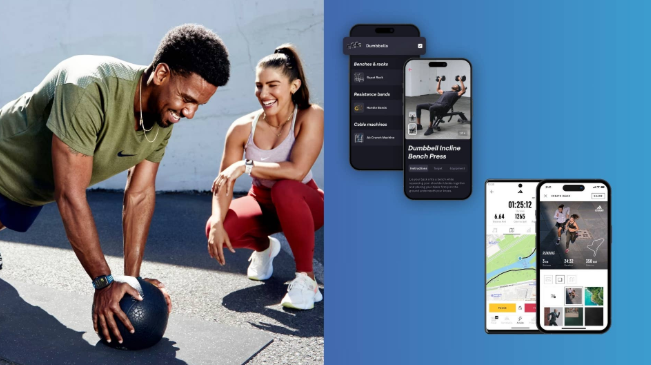

Building a consistent exercise routine is easier when progress feels visible and manageable. A well-designed fitness app can organize workouts, record activity, track habits, and provide useful feedback without making exercise feel complicated. The challenge is choosing a tool that matches your goals instead of downloading one packed with features you never use.
Different users need different levels of guidance. A beginner may want simple workout instructions, while an experienced runner may care more about pace, distance, and performance trends. Understanding what these platforms offer makes it easier to select one that supports long-term progress.
What a Fitness App Can Help You Manage
A fitness app acts as a digital tool for planning and monitoring physical activity. Depending on its purpose, it may focus on strength training, walking, running, cycling, yoga, mobility, nutrition, or several areas at once.
Many platforms allow users to record completed workouts, view exercise demonstrations, set weekly targets, or follow structured programs. Others connect with smartwatches and wearable devices to collect information such as steps, heart rate, sleep patterns, or active minutes.
The most useful platform is not always the one with the longest feature list. A simpler option may work better if it reduces friction and makes daily tracking easier.
See also: Understanding Computer Memory Solutions for Modern Work Environments
Start With a Clear Fitness Goal
Before comparing platforms, decide what you want the technology to help you achieve. A person trying to walk more each day needs different features from someone preparing for a half marathon.
Common goals include:
- Increasing daily physical activity
- Building strength
- Improving cardiovascular endurance
- Following home workouts
- Tracking running or cycling sessions
- Improving flexibility and mobility
- Creating a more consistent exercise schedule
Specific goals also make progress easier to measure. Instead of choosing a general objective such as “get fitter,” you might aim to complete three strength sessions each week or gradually increase your walking distance.
Your goal should guide the features you choose. Extra tools have little value if they do not support the behavior you are trying to improve.
Look for Features That Reduce Effort
The best digital tools fit naturally into a user’s routine. Logging a workout should take seconds rather than several minutes of navigating menus.
Useful features often include exercise libraries, customizable workout plans, progress charts, reminders, timers, and wearable integration. Clear navigation matters just as much as functionality because users are more likely to stay consistent when the interface feels simple.
Customization can also improve the experience. Some people prefer detailed workout data, while others only want basic information such as duration, repetitions, or distance.
Businesses building health platforms face the same usability challenge. Professional fitness app development services often focus on combining useful tracking functions with accessible design so users can complete common actions without unnecessary steps.
Evaluate Workout Guidance Carefully
Workout instructions should be easy to understand, especially for beginners. Clear descriptions and visual demonstrations help users learn how an exercise should be performed.
Programs should also provide reasonable ways to adjust difficulty. A workout designed for beginners should not force users into advanced movements without offering easier alternatives.
People with injuries, chronic conditions, pregnancy-related considerations, or other health concerns may need personalized guidance from a qualified healthcare professional. An application can support a routine, but it cannot evaluate individual medical needs the way a clinician can.
Check How Progress Is Presented
Tracking works best when the information helps users make decisions. Long lists of numbers are less useful if they do not show whether performance is improving.
A good fitness app may display trends such as weekly workout frequency, distance changes, strength progression, or time spent exercising. Seeing these patterns can help users recognize improvements that might otherwise feel too gradual to notice.
Progress should also be viewed in context. Missing one workout does not erase weeks of consistent activity. Weekly and monthly patterns often provide a more useful picture than judging performance based on a single day.
Consider Wearable and Device Compatibility
People who already use smartwatches, heart rate monitors, or activity trackers should check compatibility before committing to a platform. Automatic synchronization can reduce manual data entry and keep records in one place.
Still, more data does not always produce better decisions. Heart rate zones, recovery scores, calories, and sleep estimates may be useful, but users should understand what the numbers represent before changing their habits around them.
Consumer wearables also have limitations. Their measurements may provide helpful estimates, but they should not be treated as medical diagnoses or guaranteed indicators of health.
Review Privacy and Data Controls
Health and activity platforms may collect personal information such as age, weight, location, exercise history, or connected-device data. Users should understand what information is collected and how it is handled.
Before creating an account, review the platform’s privacy settings and permissions. Location access, contact syncing, and background tracking should serve a clear purpose rather than being enabled automatically without reason.
Strong account security also matters. Unique passwords, multifactor authentication when available, and careful control over social sharing can reduce unnecessary exposure of personal information.
Free and Paid Options Serve Different Users
A free platform may offer enough functionality for basic workout tracking. Paid subscriptions often add structured programs, deeper analytics, coaching features, larger exercise libraries, or an ad-free experience.
Before subscribing, identify which paid features you would actually use. A detailed training dashboard offers little value to someone who only wants to track three weekly gym sessions.
Free trials can help users evaluate navigation, workout quality, and device compatibility before making a longer commitment. Subscription cancellation rules and renewal terms should also be reviewed in advance.
Use Technology Without Becoming Dependent on It
Digital tracking can improve consistency, but every workout does not need to produce perfect data. Exercise still has value even if a smartwatch battery dies or a session is not recorded.
Use the fitness app as a support system rather than the purpose of the workout. Metrics should help you notice patterns, adjust routines, and stay organized. They should not create unnecessary pressure to close every activity ring or maintain unrealistic streaks.
Rest also deserves space in a healthy routine. Recovery days, sleep, hydration, and manageable training volume all contribute to sustainable progress.
Build a Routine You Can Maintain
Consistency usually comes from making exercise easier to repeat. Scheduling sessions at realistic times and choosing activities you enjoy can matter more than using advanced technology.
Reminders can help establish a routine during the first few weeks. After the habit becomes more familiar, users may need fewer prompts.
Review your activity every few weeks rather than constantly changing goals. If workouts feel too easy, too difficult, or difficult to schedule, adjust the plan instead of abandoning it completely.
Choosing Tools That Support Long-Term Progress
Digital fitness tools are most valuable when they simplify planning and help users understand their habits. Choose features based on your goals, comfort level, preferred activities, and the amount of tracking you genuinely want.
Developers also need to balance functionality with usability. Well-planned fitness app development services should prioritize clear navigation, responsible data handling, practical tracking features, and an experience that encourages users to return without overwhelming them.
A useful platform will not replace motivation, recovery, or sound training decisions. Used thoughtfully, however, it can provide structure, reveal progress, and make a consistent exercise routine easier to maintain.