
Introduction
In today’s digital age, data security is more critical than ever. Whether you are an individual, a small business, or a large enterprise, protecting sensitive information is a top priority. One often overlooked aspect of data security is what happens to data stored on old or unused hard drives. Simply deleting files or formatting a drive is not enough to ensure that data is permanently erased. This is where hard drive wiping comes into play.
Hard drive wiping is the process of completely erasing all data from a storage device in such a way that it cannot be recovered by any means. This article explores the concept of hard drive wiping, its importance, methods, tools, and its role in broader practices such as tech waste recycling and IT asset tag removal.
What is Hard Drive Wiping?
Hard drive wiping, also known as data sanitization or data destruction, refers to the process of overwriting existing data on a storage device with random or predetermined patterns. Unlike standard deletion or formatting, wiping ensures that the original data cannot be recovered using forensic tools.
When you delete a file or format a drive, the data is not actually removed; instead, the system marks the space as available for reuse. Specialized software can often recover such data. Hard drive wiping eliminates this risk by overwriting every sector of the drive multiple times.
Why is Hard Drive Wiping Important?
1. Data Security
The primary reason for wiping a hard drive is to protect sensitive information. Personal data, financial records, intellectual property, and confidential business information can all be exposed if a drive is not properly wiped.
2. Compliance with Regulations
Many industries are governed by strict data protection laws such as GDPR, HIPAA, and others. Failure to properly erase data before disposing of or reusing storage devices can lead to legal consequences and hefty fines.
3. Preventing Identity Theft
Improperly discarded hard drives can be a goldmine for cybercriminals. Personal information retrieved from such devices can be used for identity theft and fraud.
4. Safe Device Disposal
When disposing of old computers or storage devices, hard drive wiping ensures that no residual data remains accessible to unauthorized individuals.
Common Methods of Hard Drive Wiping
1. Overwriting
This is the most common method, where data is overwritten with random characters or specific patterns. Multiple passes (e.g., 3-pass, 7-pass) are often used for higher security.
2. Degaussing
Degaussing involves exposing the hard drive to a strong magnetic field, which disrupts the magnetic domains on the disk, effectively destroying the data. However, this method also renders the drive unusable.
3. Physical Destruction
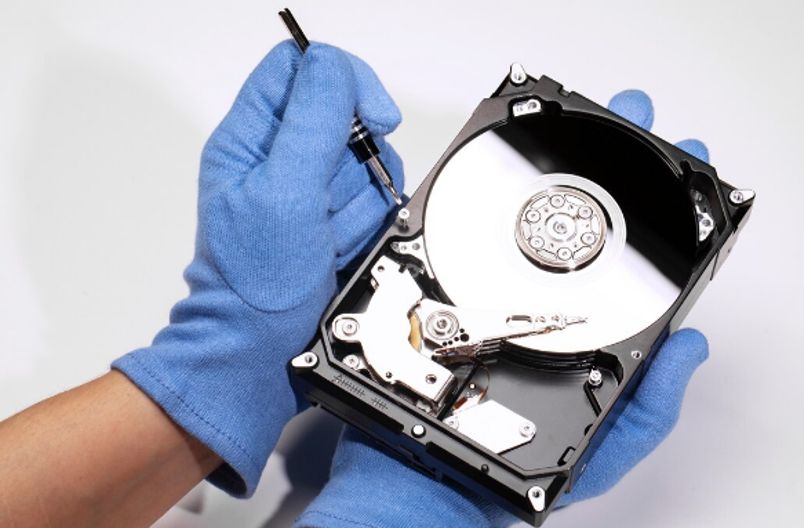
Physically destroying the hard drive—through shredding, drilling, or crushing—is a foolproof method of data destruction. It is often used when the drive is no longer needed.
4. Cryptographic Erasure
In this method, encrypted data is rendered inaccessible by deleting the encryption keys. This is particularly effective for modern storage systems that use full-disk encryption.
Tools for Hard Drive Wiping
There are several software tools available for secure data wiping. Some popular options include:
- DBAN (Darik’s Boot and Nuke)
- Blancco Drive Eraser
- Eraser
- CCleaner (Drive Wiper feature)
These tools offer different levels of wiping standards, including military-grade options like DoD 5220.22-M.
Hard Drive Wiping vs Formatting
It is important to distinguish between formatting and wiping:
- Formatting: Removes file system structures but leaves data intact and recoverable.
- Wiping: Completely erases data by overwriting it, making recovery virtually impossible.
For secure data disposal, wiping is always the preferred method.
Role of Hard Drive Wiping in Tech Waste Recycling
As electronic waste continues to grow globally, responsible disposal practices have become essential. Tech waste recycling involves collecting, processing, and reusing or safely disposing of electronic devices.
Hard drive wiping plays a crucial role in this process. Before devices are recycled or refurbished, all data must be securely erased to prevent data breaches. Organizations involved in tech waste recycling often follow strict protocols to ensure that every storage device is properly sanitized.
Additionally, wiped devices can often be refurbished and reused, reducing environmental impact and promoting sustainability. This not only conserves resources but also minimizes the amount of e-waste sent to landfills.
See also: How Technology Is Transforming Tourism
IT Asset Tag Removal and Data Security
Another important aspect of secure IT asset disposal is IT asset tag removal. Asset tags are labels used by organizations to track hardware inventory. These tags may contain barcodes, serial numbers, or other identifying information.
Before disposing of or recycling equipment, IT asset tag removal is necessary to prevent unauthorized tracking or misuse of organizational data. When combined with hard drive wiping, this ensures complete data and identity protection.
Proper IT asset tag removal also helps organizations maintain compliance with internal policies and external regulations. It prevents confusion in asset tracking systems and ensures that decommissioned devices are fully removed from inventory records.
Best Practices for Hard Drive Wiping
To ensure effective data destruction, consider the following best practices:
1. Choose the Right Method
Select a wiping method based on the sensitivity of the data and the intended use of the drive. For highly sensitive data, multiple-pass overwriting or physical destruction may be necessary.
2. Use Certified Tools
Always use reliable and certified wiping software that complies with recognized standards.
3. Verify the Process
After wiping, verify that the data has been successfully erased. Many tools offer verification features.
4. Maintain Documentation
Keep records of data destruction for compliance and auditing purposes. This is especially important for businesses.
5. Combine with Physical Security Measures
In addition to wiping, ensure proper handling, storage, and transportation of drives before disposal.
Challenges in Hard Drive Wiping
Despite its importance, hard drive wiping comes with certain challenges:
1. Time-Consuming
Wiping large drives, especially with multiple passes, can take several hours.
2. SSD Complexity
Solid State Drives (SSDs) use different storage mechanisms, making traditional wiping methods less effective. Specialized techniques like secure erase commands are required.
3. Human Error
Improper execution or skipping steps can result in incomplete data erasure.
4. Cost
Professional data destruction services and certified tools can be expensive, especially for small businesses.
Future Trends in Data Destruction
As technology evolves, so do methods of data storage and destruction. Some emerging trends include:
- Automated data wiping solutions integrated into IT asset management systems
- Increased use of encryption and cryptographic erasure
- Stricter global data protection regulations
- Growth in eco-friendly tech waste recycling initiatives
Organizations are increasingly adopting holistic approaches that combine data security with environmental responsibility.
Conclusion
Hard drive wiping is a critical component of modern data security practices. It ensures that sensitive information is permanently erased and cannot be recovered, protecting individuals and organizations from data breaches, identity theft, and legal consequences.
Incorporating hard drive wiping into broader strategies such as tech waste recycling and IT asset tag removal enhances both security and sustainability. By following best practices and using reliable tools, organizations can safeguard their data while contributing to responsible electronic waste management.
As digital data continues to grow, the importance of secure data destruction will only increase. Investing in proper hard drive wiping processes is not just a technical necessity—it is a fundamental responsibility in today’s data-driven world.